Vaultbreakers beginner guide
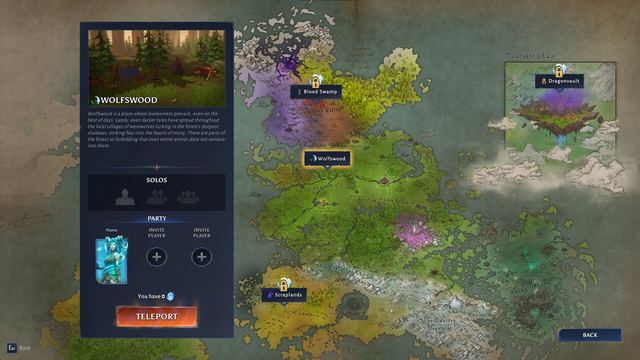
Start on Adventure difficulty, finish the Wolfswood onboarding, and salvage everything you will not wear - the Haven is where early materials turn into permanent power.

Your first hours in Vaultbreakers decide whether the game clicks or feels brutal. The demo's onboarding is friendlier than the early playtests were, but the loop still punishes hoarding, panic and ignoring your difficulty setting. Here is the order of operations that works.
First-hour checklist
- Finish the tutorial without rushing. It teaches abilities, looting and extraction. None of it is skippable, and rushing is a fast way to miss the potion and ability-item systems.
- Start on Adventure. It is the designed on-ramp: familiar enemies, softer hits, and a safe place to learn Wolfswood layouts.
- Do quests where you find them. Quest rewards feed the early progression curve - XP, materials, recipes and Named items.
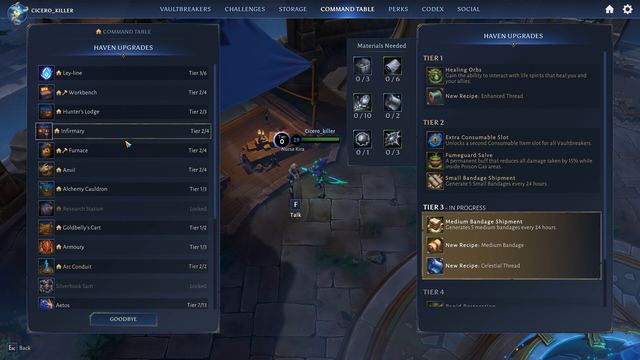
- Touch everything in the Haven. The Command Table sits in the top bar; spend early materials on building upgrades before your first Vaultbreak.
- Clear your first Vaultbreak. It is the demo's main-quest payoff and the best first taste of Vault mechanics.
- Then try Core. Higher difficulty means rarer gear and Core Challenges - and it is required for Supreme and Legendary loot later.
Choose a difficulty you can finish
The three difficulty modes are not just a slider - they change rewards. Adventure is for learning, Core is where the loot table opens up, and Breaker is PvPvE with real opponents and real loss on death. You can change the difficulty any time before a mission, but not during a run, so decide before you commit.
Three habits that keep runs profitable
- Extract when the run is good. Loot only counts once it leaves the region. Greed ends more runs than enemies do.
- Salvage instead of hoarding. Equipment you will not use breaks down into the crafting materials your Haven upgrades want.
- Repair before you queue. The game warns you before entering with broken equipment; a dead weapon mid-run wastes the whole trip.
Setting up your controls and audio
The October update added a choice for how evasive abilities follow input - movement direction or cursor facing - and a more readable default ability layout. Controller support covers the inventory, crafting and social menus too. Keep audio on: the Chosen of Maldrakor are designed to be heard before they are seen.
Potions now share one cooldown, so swapping between them mid-fight is not the play. Treat potions as a rescue button, not a rotation.